Virtual Event FAQ for Sponsors
We know that you may have many questions and uncertainties around attending a virtual conference, so we have developed a list of FAQs below. If your question isn’t answered, or you want more information, please contact us on [email protected].
Also please do refer to our platform explainer video here, which will walk you through all the essential elements you need to know in order to make your experience with us a success!
Unlike some virtual platforms that use a simulated 3D booth and require additional software downloads, our virtual platform looks and acts more like a website where attendees can easily find suppliers, discover their products and book a meeting, all with just a few clicks.
The booth itself can include logo, description, embedded videos, links to pdfs and social networks, a list of products and the sponsor representatives.
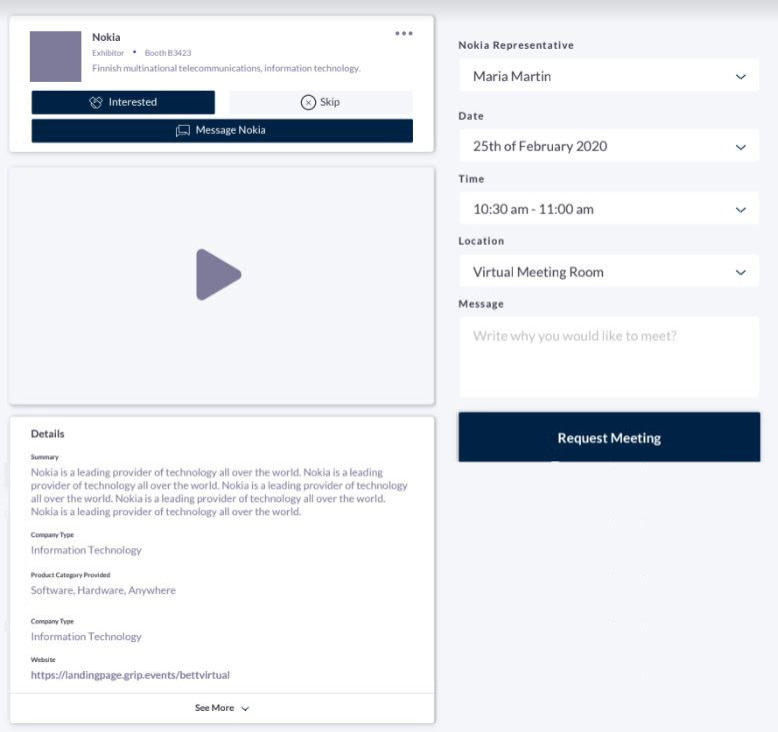
- Through the sponsor list on the left-hand side of the home page. Attendees can scroll through the list alphabetically or via filters such as by Industry or Country.
- There is a search priority box at the top of the default sponsor list
- Through the Product search. Attendees can filter a list of products and once on the product of interest, they are able to see more information and find out which sponsor is offering it and the sponsor’s representatives associated with that product.
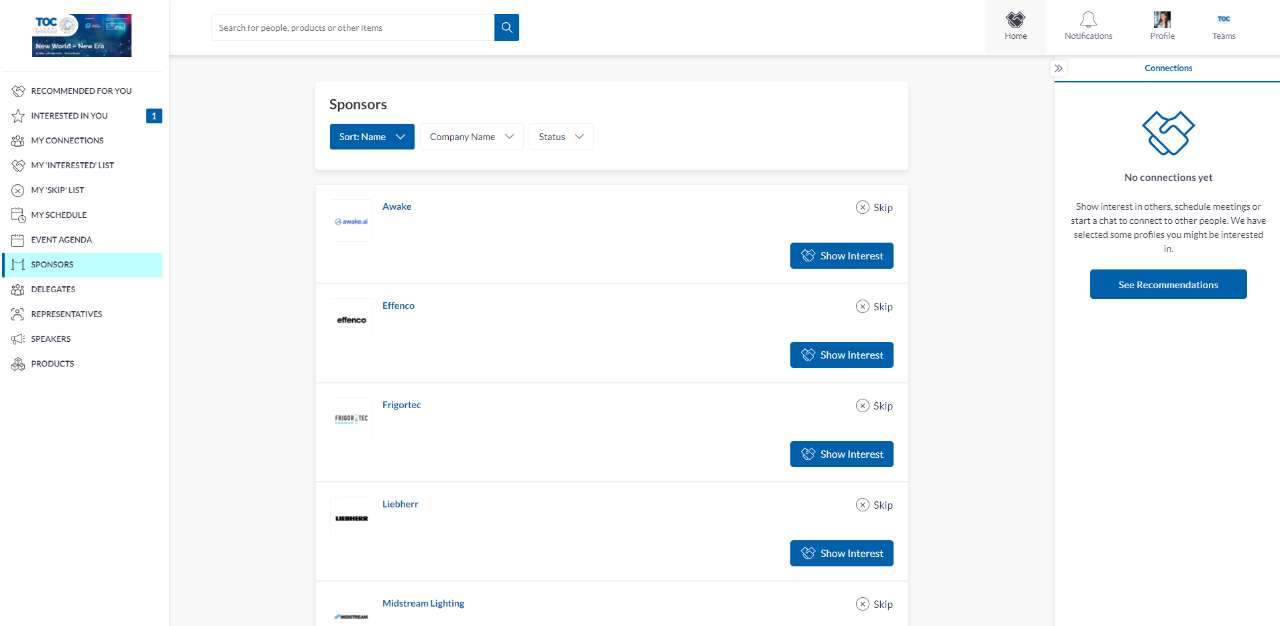
Matched Networking is a fantastic way of being introduced to attendees who matter most to your business. On registration, the attendee is asked several profile building questions to define the attendee’s objectives for the event. The registration system is then able to match you to attendees who have a common business interest.
You will find a list of matches when you login to the event which you can access from 2 weeks before the event. You can take 3 types of action immediately on these matches:
- Skip – this is an anonymous way to let the platform know this person is not of interest. They will be removed from your matches and the system will learn from this action.
- Interested – like a handshake, this is where you can mark an attendee as someone of interest. It notifies them of your action and saves them in your “Interested” list.
- Meeting – this will bring up a window to arrange a 1-to-1 video call (all housed within the event platform so no external software required!)
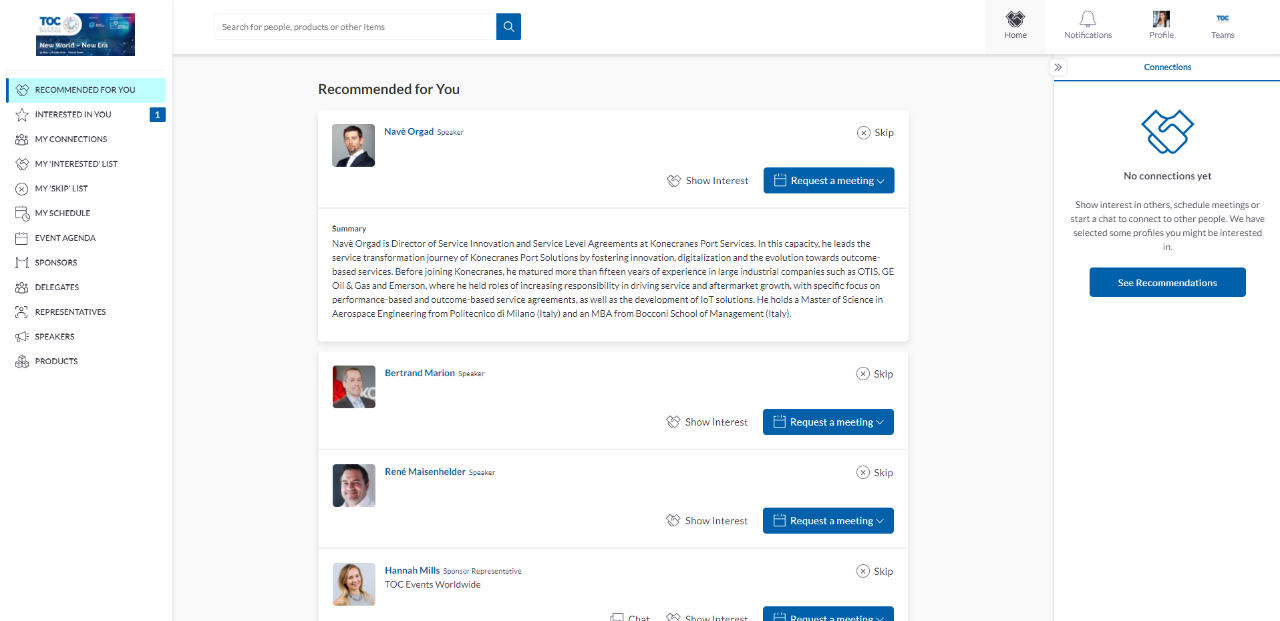
No, all meetings are arranged and housed within the virtual event platform. You will receive a notification when a meeting has been arranged and also when an attendee has joined the meeting as a prompt for you to join too.
Once in a meeting you can toggle the video feed on/off, share your screen or add others to your meeting. A Chat box enables you to share information and links for future reference.
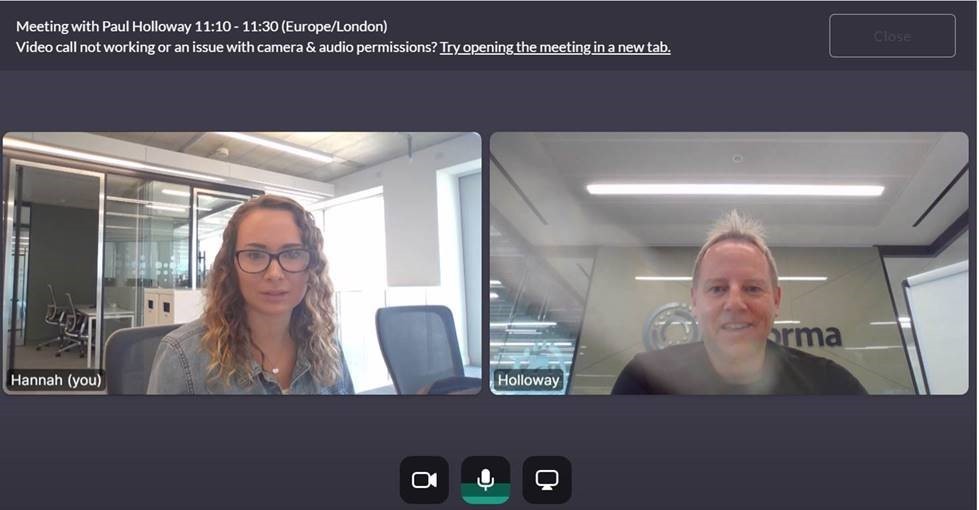
Also don’t forget to take advantage of the platform’s new ‘Instant video meetings’ functionality – if your connection is online you will be able to call them instantly through the platform chat feature! You must already be connected with a user to see this function, and if they are offline or in a meeting this function will not be available.
We will provide a real time list of leads ( name, company name, job title) who show interest in your company. Sponsors will have access to a dashboard showing a full list of your inbound leads. These can be attendees who visited your virtual booth, watched a session you sponsored, made a connection or a meeting with one of your team or someone who has marked your company as “Interested”.
An inbound lead is seen as a warm lead – i.e someone who has shown interest but not been qualified yet. If a sponsor skips this lead, they are removed from your lead bucket. If you show interest back, that lead is then converted to a “Contact”. This is an important distinction as sponsors can export a list of contacts at the end of the event for follow up.
Due to Data Protection, please note that contact details (email and phone number) may or may not display on the connection’s export – this depends upon each participant's unique chosen settings – i.e. either private, connections, or public.
Each attendee has a set number of ‘pending meeting requests’ they can send out. A pending meeting request is a meeting you have scheduled with someone else that is awaiting confirmation. Any declined or accepted meetings will be added back to your allocation.
Within the ‘Schedule’ tab you will find a list of all the sessions available to you. Each session will be ‘Live Streamed’ within the event platform, so when the time comes, you simply click play to watch. For live sessions there will be interactive features such as Polls and Q&A. For sessions you are not able to join live, you will be able to access on-demand.

Copyright © 2026. All rights reserved. Informa Markets, a trading division of Informa PLC.